📰 NEWS: Microsoft Ended CD Support In Windows Media Player Switch To Nero CD Ripper - Trusted By 80M+ Users
Rip, Convert
CD Ripper
CD Ripper
CD Ripper
Convert CDs to MP3 with Perfect Metadata Every Time
Convert CDs to MP3 with Perfect Metadata Every Time
Convert CDs to MP3 with Perfect Metadata Every Time
Rip audio CDs to digital audio files
Rip audio CDs to digital audio files
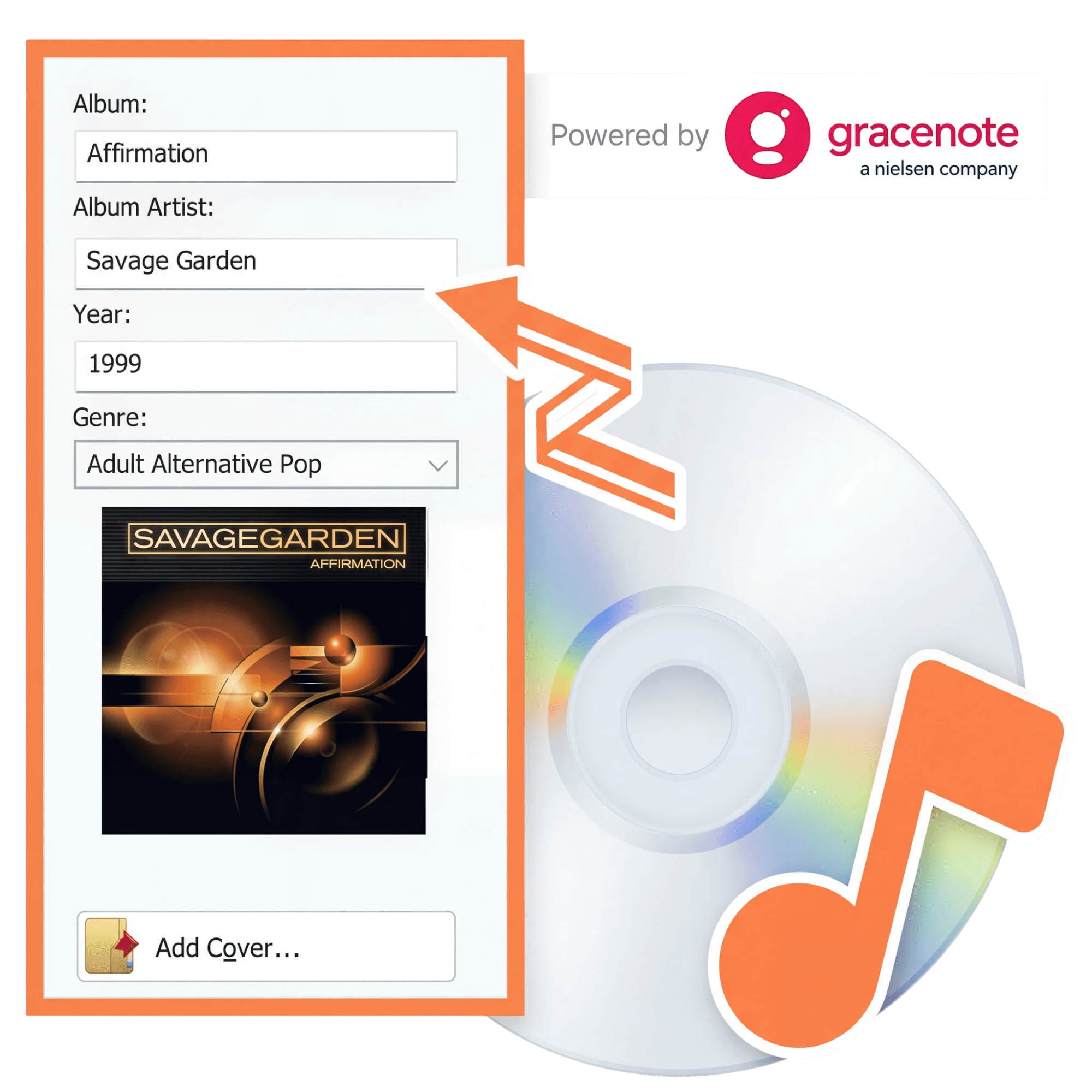
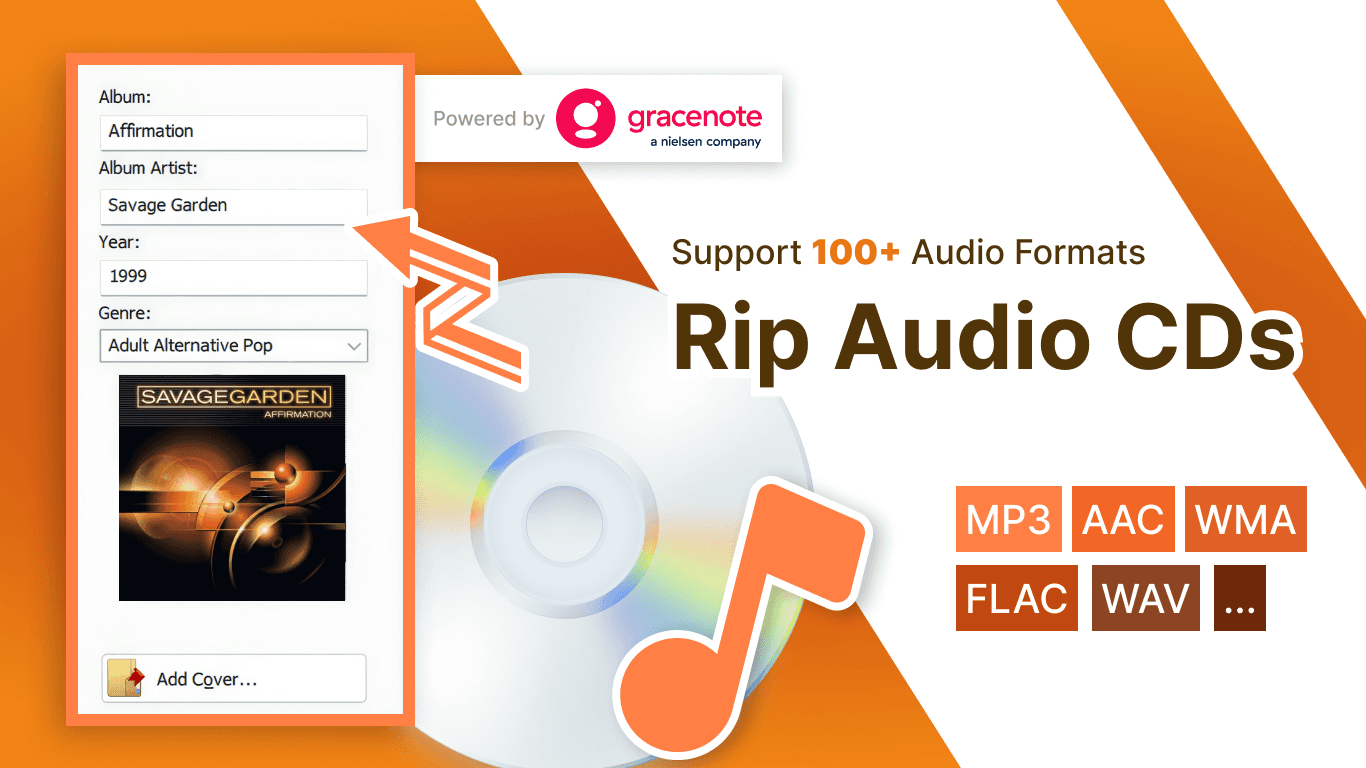
100% accurate metadata from Gracenote® database
100% accurate metadata from Gracenote® database
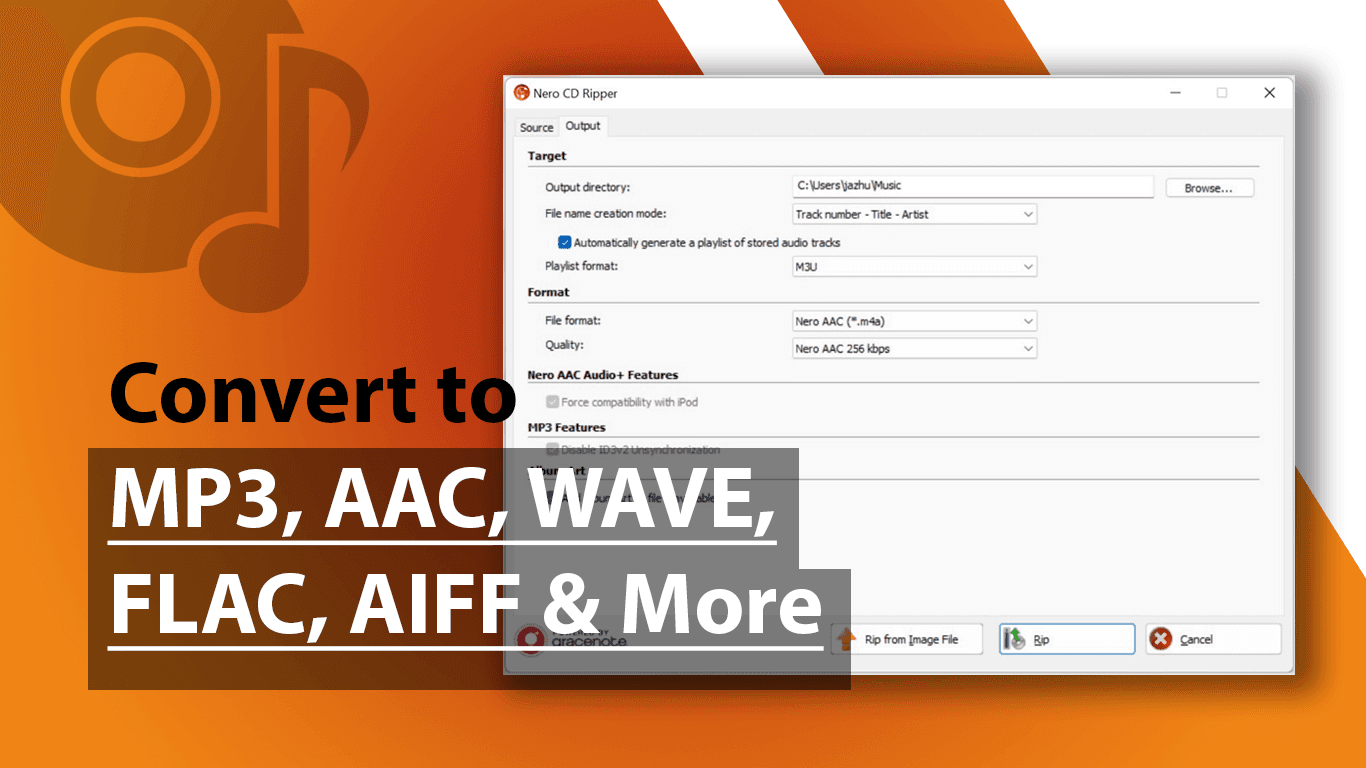
Convert to MP3, FLAC, WAV, WMA, AAC, AIFF-all formats
Convert to MP3, FLAC, WAV, WMA, AAC, AIFF-all formats

Powered by gracenote
Support 100+ Formats
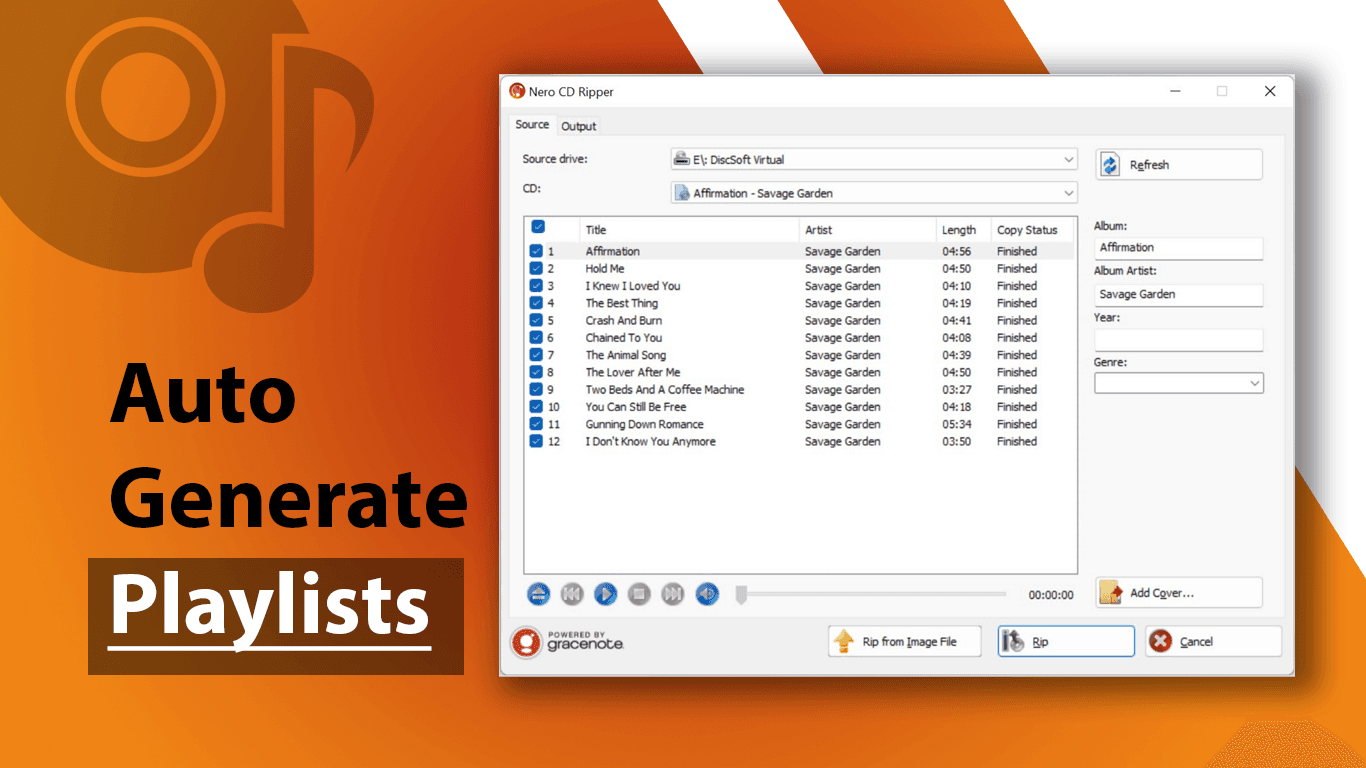
Curating Playlist
Powered by gracenote
Support 100+ Formats
Curating Playlist
Windows Media Player Stopped Working? Meet Your New Favorite CD Ripper
Nero CD Ripper transforms your physical CDs into a pristine digital library—complete with album art, perfect metadata, and studio-quality sound. Powered by Gracenote (the same database used by iTunes and Spotify).
Built on 30+ years of disc technology trusted by professionals.
Never See "Unknown Album" Again
Insert a CD, and Nero automatically fills in everything—album art, artist names, track titles—pulled from Gracenote's massive music database.
Unlike free tools that guess based on track length, Gracenote analyzes your CD's actual audio signature for 100% accurate identification. Even obscure releases, regional variants, and independent artists are recognized instantly.
No manual typing. No missing covers.
No "Unknown Album" clutter. Your library looks as professional as Spotify, but it's 100% yours.
Studio-Grade Quality, Consumer-Friendly Simplicity
Nero has been the gold standard in disc technology for over 20 years. Our CD Ripper uses the same
professional-grade extraction engine trusted by recording studios—ensuring every note, every nuance is captured bit-perfect.
Even older or slightly worn discs are handled with care. Advanced error correction ensures your digital
library sounds exactly like the day you bought the CD—or better.
Why Choose Nero CD Ripper?
🎯 Automatic Metadata & Album Art
Insert your CD and walk away. Nero automatically fetches album art, track names, and artist info from Gracenote's database—the same source used by iTunes and Spotify.
No typing. No searching. No hassle. Even rare albums, regional editions, and independent releases are identified with 99% accuracy.
🎵 Studio-Quality Audio Extraction
Built on Nero's legendary disc technology, our ripper captures bit-perfect audio even from older or scratched CDs.
Choose from lossless FLAC for archival quality, or space-saving MP3 for mobile devices. Your music, your way—with zero quality compromise.
💾 Rip to Any Format You Need
MP3, AAC, WAV, FLAC, AIFF, OGG—convert your CDs to any format for any device. Perfect for iTunes, Android, audiophile players, or cloud storage. One tool, unlimited possibilities.
⚡ Fast, Reliable, and Completely Free
Rip your entire collection as fast as your CD drive allows, with professional-grade quality. Whether you have 10 CDs or 1,000, the free version never holds you back.
🔧 Advanced Control (When You Want It)
Customize bitrates, adjust metadata, or batch-process multiple CDs. Power users get full control with advanced settings. Beginners get smart defaults that just work. Everyone wins.
💻 Windows Native Performance
Optimized for Windows 11/10/8/7, Nero CD Ripper integrates seamlessly with your system and works with any CD/DVD drive.
Download from Microsoft Store for automatic updates and peace of mind.
Perfect For
📀 Music Collectors with Large Libraries
"I had 537 CDs collecting dust for 10 years. Last weekend, I used Nero to digitize my entire collection—it
automatically fetched all album covers and track info, even for the limited edition I bought in Tokyo.
Now I can listen on my phone, computer, and car anytime, without worrying about CDs getting damaged or lost.
Time spent: One weekend
CDs processed: 537
Manual data entry: Zero"
— James R., Music Collector
🎸 Audiophiles Who Demand Perfection
"I've tried every ripper out there—EAC, dBpoweramp, you name it. Nero's extraction quality is unmatched for the ease of use. True bit-perfect rips with proper error correction, and my FLAC library sounds exactly
like the original CDs. The Gracenote integration is the cherry on top. No more hunting for album art or fixing metadata manually."
— Michael T., Audiophile
🎁 Preserving Irreplaceable Memories
"My dad's old jazz CD collection is irreplaceable. Some discs were already showing wear, and I was terrified they'd become unreadable.
Nero CD Ripper let me create perfect digital backups before it was too late. Even the worn discs were extracted flawlessly. Now these memories are preserved forever."
— Sarah L., Daughter
🚗 Mobile & Car Listening
"I wanted my CD collection on my phone and in my car. Nero ripped everything to MP3 with all the right
tags—my music app recognized every album instantly. No more fumbling with CDs while driving. My entire collection is now at my fingertips."
— David K., Commuter
📚 Libraries & Archive Projects
"We're digitizing our library's music collection for preservation. Nero's batch processing and reliable metadata retrieval saved us hundreds of hours.
The Gracenote database even identified obscure classical recordings that other tools completely missed."
— Maria G., Librarian
Free Version vs Subscription
Free Version | Subscription | |
|---|---|---|
Unlimited CD Ripping | ✅ | ✅ |
All Formats (MP3, FLAC, WAV, WMA, AAC, OGG, AIFF) | ✅ | ✅ |
Bit-perfect Audio | ✅ | ✅ |
Batch Processing | ✅ | ✅ |
No Ads/Watermarks | ✅ | ✅ |
Online Metadata & Album Covers | ❌ (cd original info) | ⭐ Gracenote Pro (99%) |
NRG Image Support | ❌ | ⭐ |
Technical Support | Standard | ⭐ Priority |
Price | FREE | Paid |
💡 95% of users find the free version is all they need.
Ready to try it? Here's how:
━━━━━━━━━━━━━━━━━━━━━━━━━━━━━━━━━━
How to Rip Your First CD in 3 Minutes
Step 1: Download & Install
Download Nero CD Ripper from Microsoft Store. Free, safe, and takes 30 seconds.
Step 2: Insert Your CD
Put your CD in your computer's drive. Nero automatically detects it and fetches album information from Gracenote.
Step 3: Click Start
Choose your preferred format (MP3, FLAC, WAV, WMA, etc.) and click. Start. That's it.
Your music is ready in minutes—perfectly tagged, beautifully organized, and ready to enjoy anywhere.
Windows Media Player Stopped Working? Meet Your New Favorite CD Ripper
Nero CD Ripper transforms your physical CDs into a pristine digital library—complete with album art, perfect metadata, and studio-quality sound. Powered by Gracenote (the same database used by iTunes and Spotify).
Built on 30+ years of disc technology trusted by professionals.
Never See "Unknown Album" Again
Insert a CD, and Nero automatically fills in everything—album art, artist names, track titles—pulled from Gracenote's massive music database.
Unlike free tools that guess based on track length, Gracenote analyzes your CD's actual audio signature for 100% accurate identification. Even obscure releases, regional variants, and independent artists are recognized instantly.
No manual typing. No missing covers.
No "Unknown Album" clutter. Your library looks as professional as Spotify, but it's 100% yours.
Studio-Grade Quality, Consumer-Friendly Simplicity
Nero has been the gold standard in disc technology for over 20 years. Our CD Ripper uses the same
professional-grade extraction engine trusted by recording studios—ensuring every note, every nuance is captured bit-perfect.
Even older or slightly worn discs are handled with care. Advanced error correction ensures your digital
library sounds exactly like the day you bought the CD—or better.
Why Choose Nero CD Ripper?
🎯 Automatic Metadata & Album Art
Insert your CD and walk away. Nero automatically fetches album art, track names, and artist info from Gracenote's database—the same source used by iTunes and Spotify.
No typing. No searching. No hassle. Even rare albums, regional editions, and independent releases are identified with 99% accuracy.
🎵 Studio-Quality Audio Extraction
Built on Nero's legendary disc technology, our ripper captures bit-perfect audio even from older or scratched CDs.
Choose from lossless FLAC for archival quality, or space-saving MP3 for mobile devices. Your music, your way—with zero quality compromise.
💾 Rip to Any Format You Need
MP3, AAC, WAV, FLAC, AIFF, OGG—convert your CDs to any format for any device. Perfect for iTunes, Android, audiophile players, or cloud storage. One tool, unlimited possibilities.
⚡ Fast, Reliable, and Completely Free
Rip your entire collection as fast as your CD drive allows, with professional-grade quality. Whether you have 10 CDs or 1,000, the free version never holds you back.
🔧 Advanced Control (When You Want It)
Customize bitrates, adjust metadata, or batch-process multiple CDs. Power users get full control with advanced settings. Beginners get smart defaults that just work. Everyone wins.
💻 Windows Native Performance
Optimized for Windows 11/10/8/7, Nero CD Ripper integrates seamlessly with your system and works with any CD/DVD drive.
Download from Microsoft Store for automatic updates and peace of mind.
Perfect For
📀 Music Collectors with Large Libraries
"I had 537 CDs collecting dust for 10 years. Last weekend, I used Nero to digitize my entire collection—it
automatically fetched all album covers and track info, even for the limited edition I bought in Tokyo.
Now I can listen on my phone, computer, and car anytime, without worrying about CDs getting damaged or lost.
Time spent: One weekend
CDs processed: 537
Manual data entry: Zero"
— James R., Music Collector
🎸 Audiophiles Who Demand Perfection
"I've tried every ripper out there—EAC, dBpoweramp, you name it. Nero's extraction quality is unmatched for the ease of use. True bit-perfect rips with proper error correction, and my FLAC library sounds exactly
like the original CDs. The Gracenote integration is the cherry on top. No more hunting for album art or fixing metadata manually."
— Michael T., Audiophile
🎁 Preserving Irreplaceable Memories
"My dad's old jazz CD collection is irreplaceable. Some discs were already showing wear, and I was terrified they'd become unreadable.
Nero CD Ripper let me create perfect digital backups before it was too late. Even the worn discs were extracted flawlessly. Now these memories are preserved forever."
— Sarah L., Daughter
🚗 Mobile & Car Listening
"I wanted my CD collection on my phone and in my car. Nero ripped everything to MP3 with all the right
tags—my music app recognized every album instantly. No more fumbling with CDs while driving. My entire collection is now at my fingertips."
— David K., Commuter
📚 Libraries & Archive Projects
"We're digitizing our library's music collection for preservation. Nero's batch processing and reliable metadata retrieval saved us hundreds of hours.
The Gracenote database even identified obscure classical recordings that other tools completely missed."
— Maria G., Librarian
Free Version vs Subscription
Free Version | Subscription | |
|---|---|---|
Unlimited CD Ripping | ✅ | ✅ |
All Formats (MP3, FLAC, WAV, WMA, AAC, OGG, AIFF) | ✅ | ✅ |
Bit-perfect Audio | ✅ | ✅ |
Batch Processing | ✅ | ✅ |
No Ads/Watermarks | ✅ | ✅ |
Online Metadata & Album Covers | ❌ (cd original info) | ⭐ Gracenote Pro (99%) |
NRG Image Support | ❌ | ⭐ |
Technical Support | Standard | ⭐ Priority |
Price | FREE | Paid |
💡 95% of users find the free version is all they need.
Ready to try it? Here's how:
━━━━━━━━━━━━━━━━━━━━━━━━━━━━━━━━━━
How to Rip Your First CD in 3 Minutes
Step 1: Download & Install
Download Nero CD Ripper from Microsoft Store. Free, safe, and takes 30 seconds.
Step 2: Insert Your CD
Put your CD in your computer's drive. Nero automatically detects it and fetches album information from Gracenote.
Step 3: Click Start
Choose your preferred format (MP3, FLAC, WAV, WMA, etc.) and click. Start. That's it.
Your music is ready in minutes—perfectly tagged, beautifully organized, and ready to enjoy anywhere.
"This is by far the easiest app I've used to rip music directly from CDs. Nero CD Ripper makes ripping audio CDs to MP3, FLAC, or other popular formats an absolute breeze." -- Microsoft Store: 4.3★ (1,200+)
"This is by far the easiest app I've used to rip music directly from CDs. Nero CD Ripper makes ripping audio CDs to MP3, FLAC, or other popular formats an absolute breeze." -- Microsoft Store: 4.3★ (1,200+)
More products from Nero Software
More products from Nero Software


Backup & Optimize
TOP Free PC Cleaner in Microsoft Store. Clean up your PC and start Windows faster.
Learn More
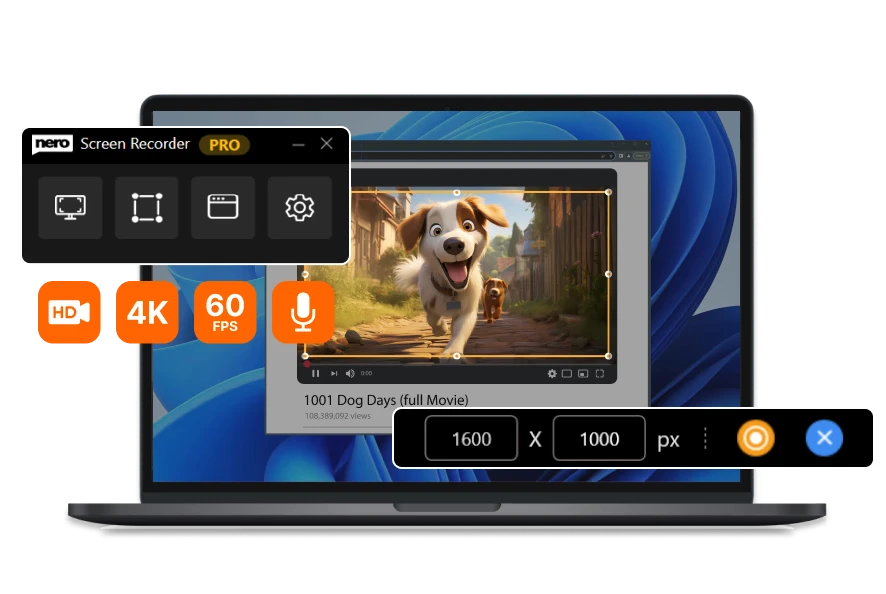
Edit & Convert
The user-friendly screen recorder. Create screen recordings according to your ideas with one click.
Learn More
Related Source
Related Source
Nero Platinum Suite 2027 – What’s New
Discover what’s new in Nero Platinum Suite 2027, including subtitles, DVD subtitle export, media browsing, CD ripping, and AI image batch tools.
Read article

Best DVD Burning & Disc Copy Software for Windows 11 in 2026
Compare the best DVD burning software for Windows 11 in 2026, including Nero, ImgBurn, CDBurnerXP, and built-in tools for discs, ISOs, and copies.
Read article

How to Play DVDs on Windows 11: A Step-by-Step Guide
Learn how to play a DVD on Windows 11. Connect an internal or external DVD drive, use Nero DVD Player or VLC, and fix common playback problems.
Read article
Nero Platinum Suite 2027 – What’s New
Discover what’s new in Nero Platinum Suite 2027, including subtitles, DVD subtitle export, media browsing, CD ripping, and AI image batch tools.
Read article
Best DVD Burning & Disc Copy Software for Windows 11 in 2026
Compare the best DVD burning software for Windows 11 in 2026, including Nero, ImgBurn, CDBurnerXP, and built-in tools for discs, ISOs, and copies.
Read article
View all



About Nero Software
About Nero Software
We aim to provide our customers with high-quality, reliable and user-friendly software solutions without compromising on innovation and state-of-the-art technology.
30m+
Users
30m+
Users
30+
Years Experience
30+
Years Experience